

No completion rates
It never asks how many you ticked off — so an unfinished list never becomes today’s report card.
Five minutes counts. A to-do app for ADHD.
iPhone · iPad · Ten languages
TodoMato doesn’t. It counts the time you spent sitting down instead. The five lines below are the whole app.
It never asks how many you ticked off — so an unfinished list never becomes today’s report card.
Doing a little is enough. Five minutes today lands in this week’s record just as it is.
Big things are hard to begin. Break them into steps and you only do one.
A place to put down what your head is carrying. We’ll tell you at the time you set.
No account, no server. Not even the maker can see what you wrote.
Four screens, and that’s all of it: today, steps, the focus timer, and this week.
Today
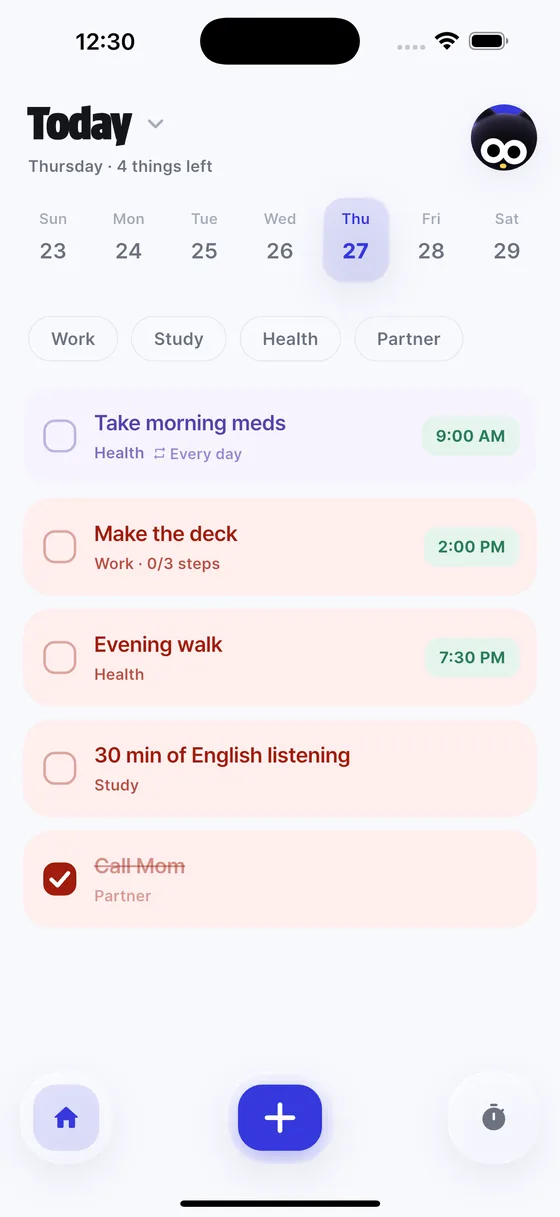
Your day sorted into nine kinds. Just type “meds 9am daily” and the time and the repeat get picked up for you.
Yesterday and tomorrow are one date-tap away.
Steps
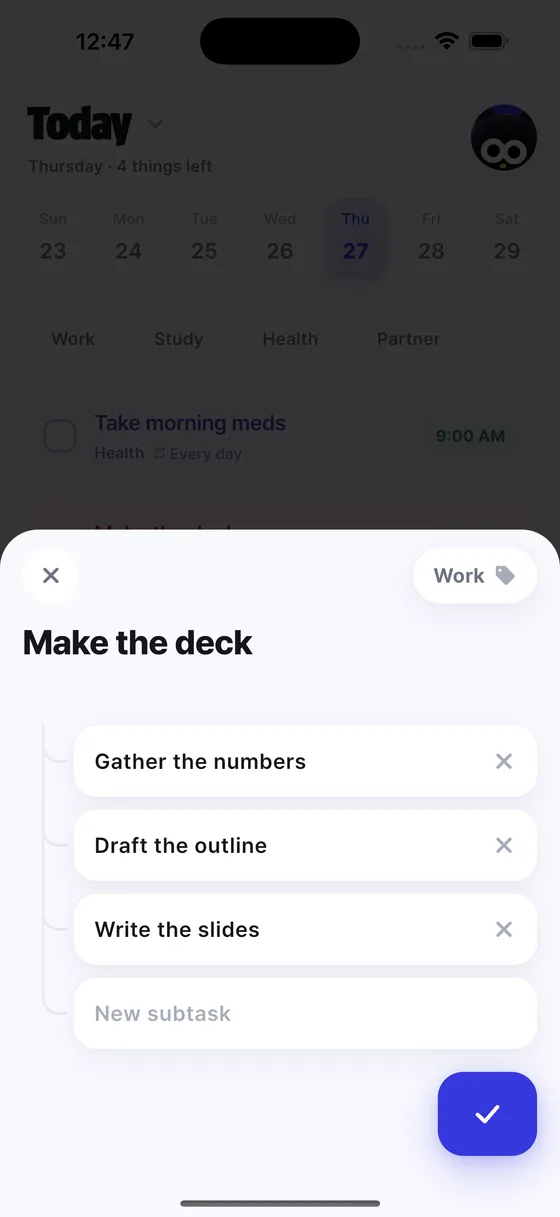
“Make the slides” is too big. Split it into “check mail”, “check calendar”, “write the list” — and you only do one.
None is fine. Even one step makes it easier to start.
Focus timer
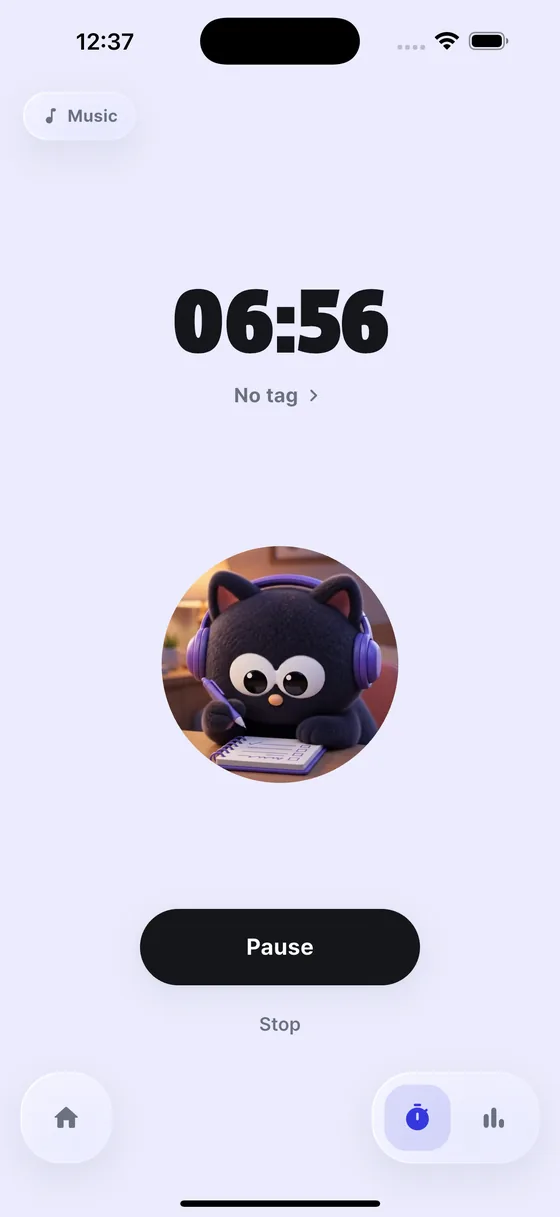
Press start and Pepper the cat sits down beside you. No nagging — just quiet background music. Pomodoro rounds work too.
When time’s up it says: “this much is already enough.”

This week
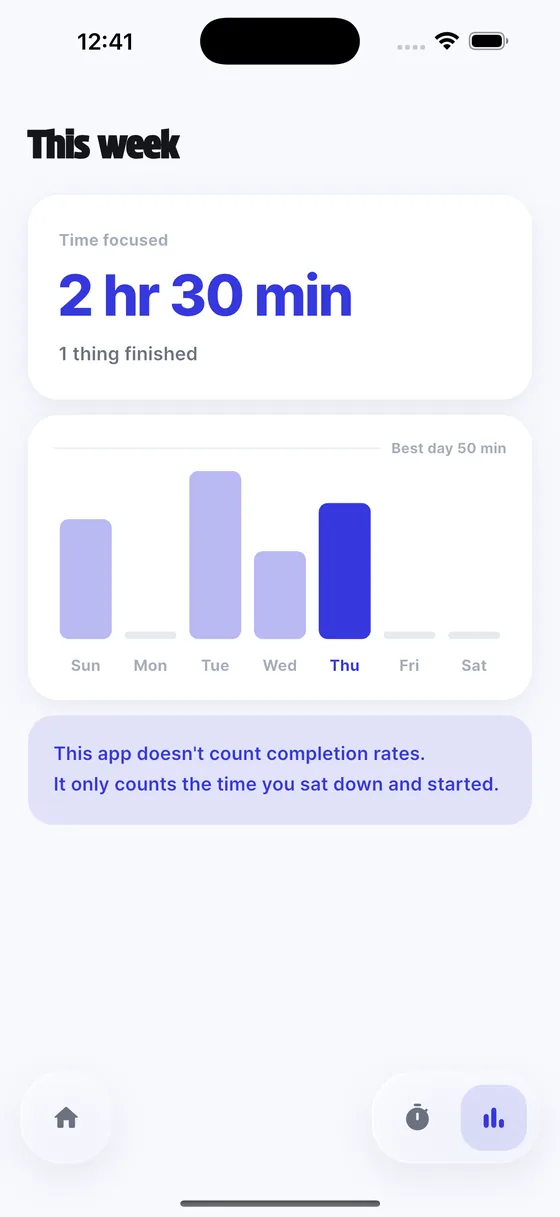
Time sat down accumulates, not items ticked off. A low bar is fine — it never points at your empty days.
This app doesn’t count completion rates. It counts the time you sat down and began.
Added one at a time since launch — the things you end up wanting.
Day, week, or month. You can pull in your iPhone calendar and see both together — read only, never written to.
Too much to type? Say it. “Dentist tomorrow at three” lands with the time already set.
Today’s tasks and schedule, without opening the app.
Pin a link to a task and open it right there — no hunting for the page you visit every day.
Play it alongside the timer. The timer keeps running even when you leave the app.
Finishing a focus run or a routine leaves you tomatoes and energy — something stays behind instead of just a tick.

00:00
Sit down for five minutes. This is exactly how the app counts.
Pepper & Tomo
Pepper the cat, and Tomo, the tomato on their head. They never ask how it’s going — they just sit next to you.



Questions
It doesn’t count completion rates — it counts the time you sat down and began. Even on a day you didn’t clear the list, “you sat for 40 minutes today” remains.
No. There’s no account and no sign-in. Open the app and start.
Yes. You set the focus length, the break, and how many rounds. The default is 25 min focus · 5 min break · four rounds.
iPhone and Android phones. Korean and English are both included, following your device setting.
Out now on the App Store in ten languages. Google Play is on the way.