

One button and you’re done
No deciding what to write. Log the start date and the next cycle is worked out for you.
One button on the day it starts. Your records predict the next period and ovulation for you.
LunaCat takes the start date and works out the rest. The six lines below are the whole app.
No deciding what to write. Log the start date and the next cycle is worked out for you.
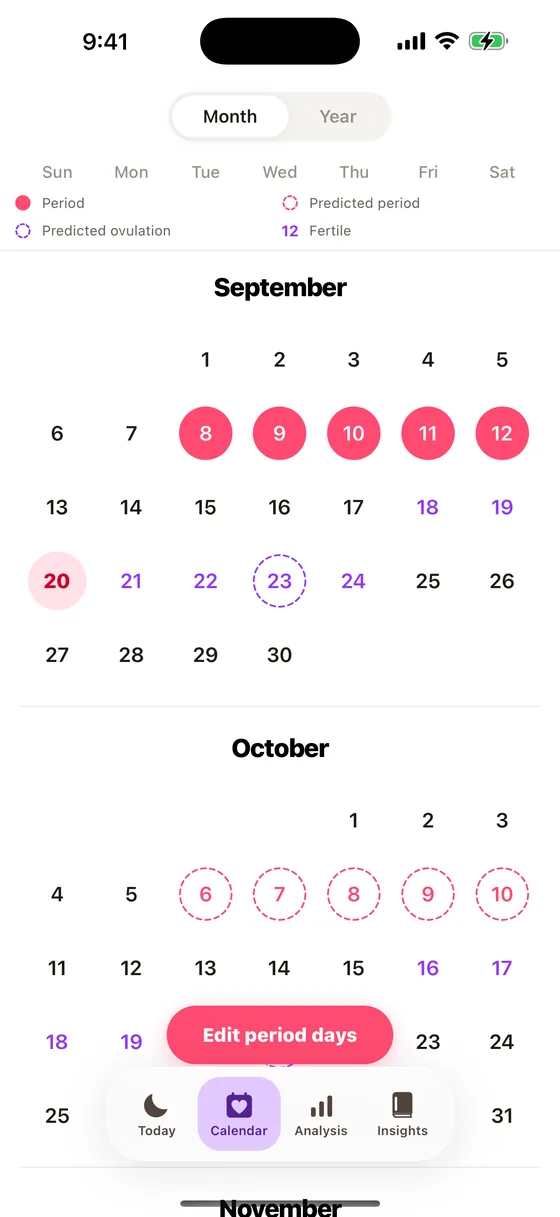
Past periods, predictions, ovulation and the fertile window, each its own colour and shape.
Someone trying to conceive and someone just tracking need different things up front.
It works out your averages and tells you whether your cycle sits in the usual range.
It’s the most private record you keep. App lock, screenshot block, hidden notifications.
Every article lists the research and clinical guidance behind it. Tap through to the original.
Logging, the calendar, sharing, analysis, and things to read. Five screens, that’s all.
Logging
No deciding what to write each time. Log the start date and the next cycle follows. Past entries are editable right on the calendar.
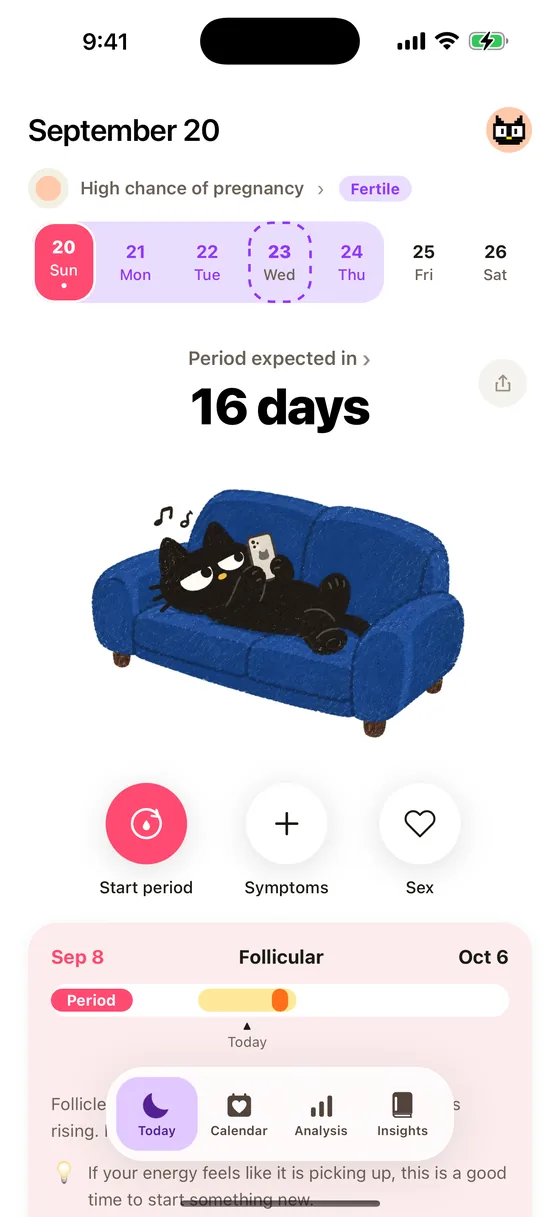
The cat’s face changes with the mood you logged.
Calendar
Past periods, predicted periods, predicted ovulation and the fertile window, each distinct. Switch between month and year.
Tap a date to see what you logged that day.
Sharing
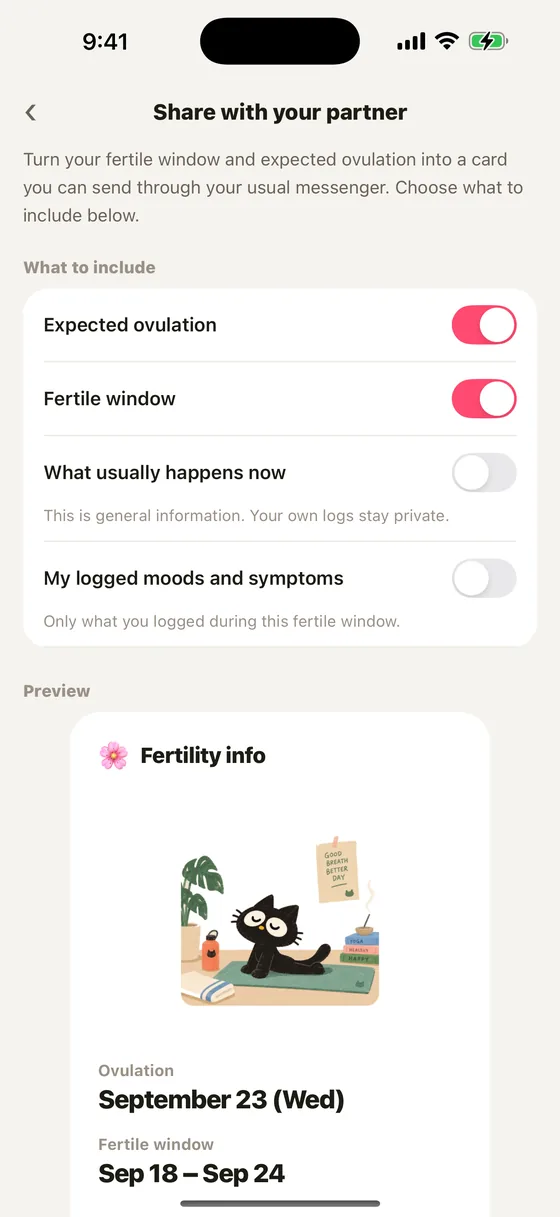
Turn your fertile window and expected ovulation into a single card and send it through whatever messenger you use. You pick what goes in, one switch at a time.
Your own mood and symptom logs stay out unless you say otherwise, and you see the card before it goes.
Analysis
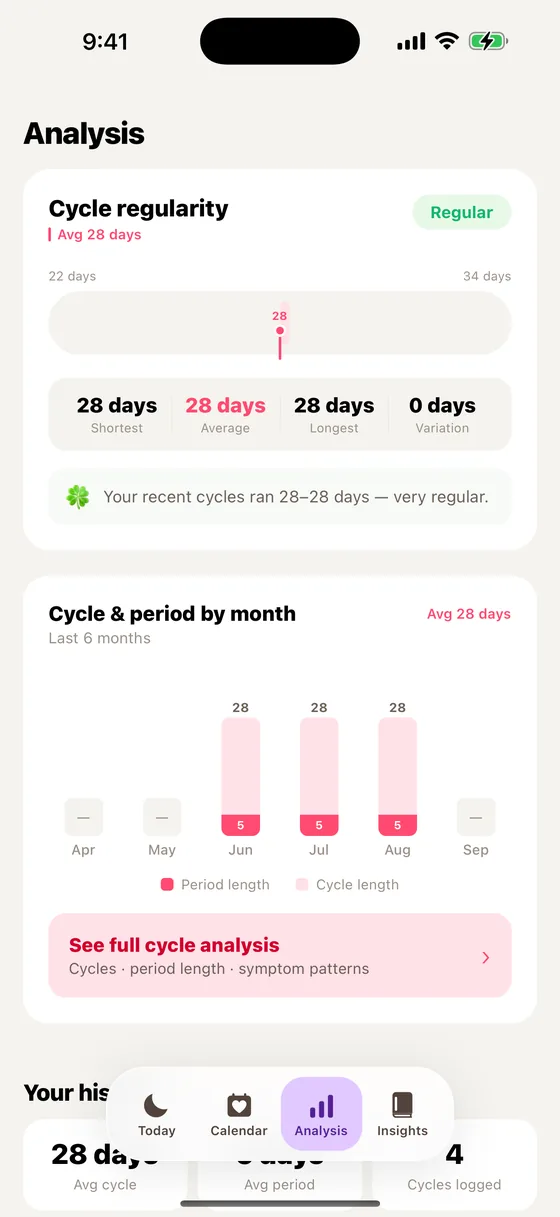
It works out your average cycle and period length and tells you whether they sit in the usual range, with a month-by-month graph.
Regularity is judged against the ACOG range of 24–38 days.
Reading
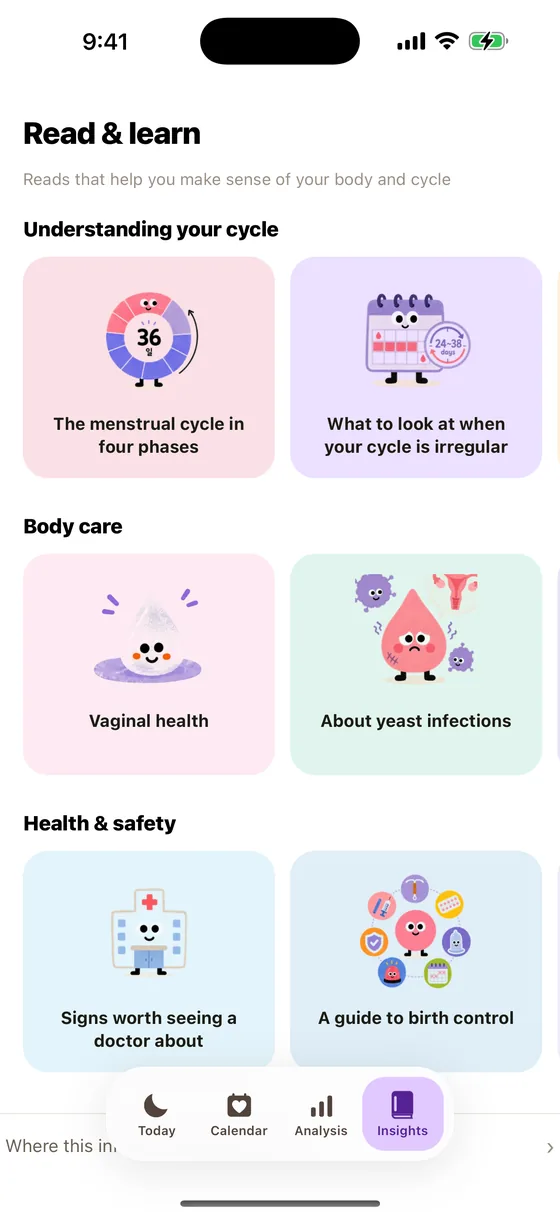
Sixteen reads: the four phases, PMS, choosing products and contraception, vaginal health, trying to conceive, fertility testing, and egg freezing.
They’re matched to the phase you’re in today, and each one ends with the sources behind it.
Added one at a time since launch — the things that get useful as your records build up.
Log breakouts, dryness or oiliness and it looks for whether they cluster before your period. Three cycles and it tells you.
One article picked for where you are in the cycle today — a different one each day.
Turn it on and periods logged elsewhere come across, and what you log here is saved there too. Both live on the phone, so nothing leaves it — and only the dates travel.
A month doesn’t pass evenly. It colours today by phase and explains what’s happening in it.
MENSTRUATION
The start of the cycle, when the lining sheds. Logging how you feel feeds next month’s prediction.
FOLLICULAR
Follicles grow and estrogen rises. Many people feel their energy coming back.
OVULATION
The egg is released — the few days when conception is most likely. Temperature and discharge help confirm it.
LUTEAL
The stretch before the next period. PMS shows up here, so logging mood and symptoms helps most.
It’s the most private record you keep — down to someone glancing over, or a notification popping up.
Face ID or a fingerprint, every time you open it.
Screenshots and screen recording are blocked.
The lock screen shows only “LunaCat” — never the contents.
Luna & Pinkduck
Luna’s face changes with the mood you logged. She never asks how you’re doing — she just matches it.



Switch to Pinkduck in Settings. The moods work exactly the same, and the app icon changes with it.



Questions
Just two things: your last period date and your usual cycle length. Pick a goal — conceiving, tracking, or understanding your body — and the home screen is built around it.
Yes. It starts from the cycle length you gave and adjusts to your real one as records build up. The analysis screen shows you how regular it is.
No. The fertile window is not a contraceptive. Ovulation shifts between people and between months, so predictions can be off. For contraception, use an actual method.
You turn on only the ones you want — period due, ovulation and fertile window, pill reminders, a daily log nudge — each on its own, at a time you choose.
Symptoms, mood, discharge, digestion, activity, sex and contraception. And logging none of it — just the start date — works perfectly well.
You can turn your fertile window and expected ovulation into a single card and send it through whatever messenger you use. You choose what goes in before it leaves, and your own mood and symptom logs stay out by default.
Nine languages: Korean, English, Japanese, Spanish, German, French, Italian, Portuguese and Dutch. It follows your phone’s language, and you can also pick one yourself in Settings.
Every article names the research and clinical guidance behind it, and the titles open the originals. Settings has a single page listing them all. That said, LunaCat is not a medical device — the predictions are a guide, not a diagnosis.
Tell it your last period date. LunaCat takes it from there.